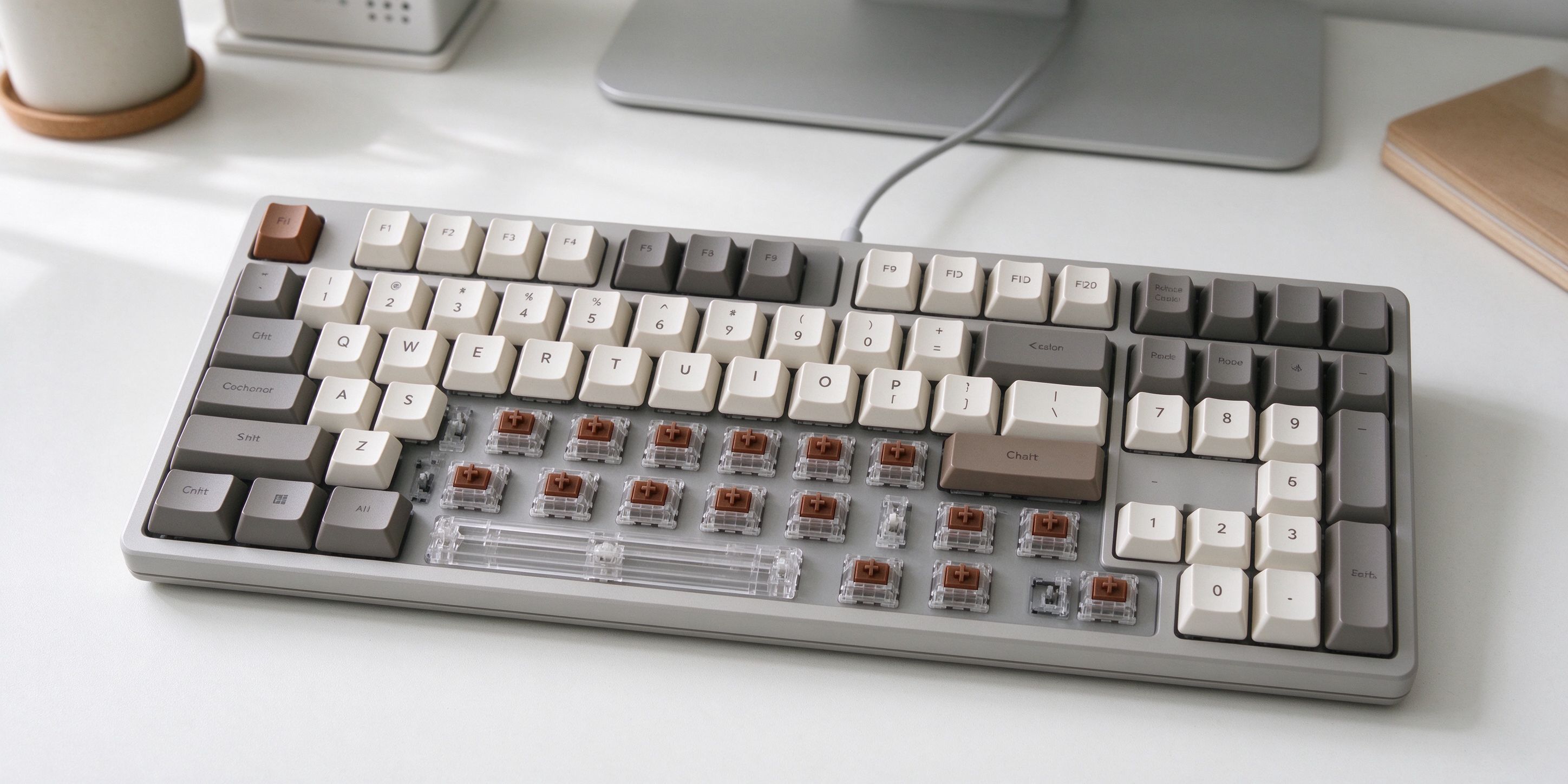
Mechanical keyboards sound great, but the jargon is overwhelming: switches, layouts, keycaps, hot-swap, gasket mount… This guide explains what actually matters for your first keyboard, and what you can safely ignore.
1. What Is a Mechanical Keyboard, Anyway?
Unlike a membrane keyboard (the rubber-dome kind that comes with most laptops), a mechanical keyboard has a separate physical switch under every key. This means:
- Better typing feel — each key has a defined "bump" when it actuates
- Longer lifespan — good switches rated for 50+ million keystrokes
- You can swap switches and keycaps later if you want
- It sounds satisfying (the "thock" sound people love)
2. Switches: The Most Important Decision
The switch determines how the keyboard feels and sounds. There are three main types:
- Red switches (linear): Smooth, quiet, no click. Best for fast typing and gaming. Good first choice if you're not sure.
- Brown switches (tactile): A subtle bump when the key actuates, but no loud click. Good middle ground for typing and work.
- Blue switches (clicky): Loud click sound. Great if you love the classic typewriter feel, but annoying in open offices or around others.
Our recommendation for most people: Brown switches. They feel premium without being too loud for work or shared spaces.
3. Layout: How Small Do You Want To Go?
- Full-size (100%): Has a number pad. Good if you work with spreadsheets or data entry.
- TKL (Tenkeyless / 80%): No number pad, but everything else. Most popular choice — saves desk space, still has arrow keys and function row.
- 75% / 65% / 60%: Compact sizes. Good for small desks or minimalist setups, but you lose dedicated arrow keys or function row. Not ideal for your first keyboard.
Start with TKL. It's the sweet spot: compact enough, but you won't miss any keys.
4. Wired vs Wireless?
- Wired: No battery to charge, zero lag, cheaper. Fine for a desktop setup.
- Wireless (Bluetooth/2.4GHz): Cleaner desk, works with multiple devices. Costs more and needs charging. Good if you switch between laptop and desktop.
For your first keyboard, wired is perfectly fine and saves you $30-50.
5. What About "Hot-Swap" and "Gasket Mount"?
These are enthusiast features you don't need for your first keyboard:
- Hot-swap: You can pull out switches and install new ones without soldering. Cool if you want to experiment later, but adds cost on your first board.
- Gasket mount: A mounting style that makes the keyboard feel softer and more "thocky." Nice-to-have, not essential.
Don't pay extra for these on your first keyboard. Get a solid entry-level board, learn what you like, then upgrade later.
6. How Much Should You Spend?
- $30-60: Entry-level mechanical keyboards. Good quality, basic features. Perfect for trying the hobby.
- $60-120: Mid-range. Better build quality, PBT keycaps, good switches. This is where most people land.
- $120+: Enthusiast boards. Custom cases, gasket mount, premium sound. Not needed for your first keyboard.
$50-80 is the sweet spot for a first mechanical keyboard.
7. Keycaps: Don't Overthink It
Keycaps are the plastic tops you press. Two materials matter:
- ABS: Thinner, shinier over time, cheaper. Fine for beginners.
- PBT: Thicker, textured, doesn't shine. Better feel, slightly more expensive.
Look for a board that comes with PBT keycaps — it's a small upgrade that makes a real difference.
Beyond the Keyboard: Complete Your Work Setup
A good keyboard is one part of a comfortable home office. Pair it with an adjustable standing desk from FlexiSpot — alternating between sitting and standing during the day makes a real difference for your back and posture. If you deal with documents, receipts, or notebooks regularly, an CZUR smart document scanner can digitize everything in seconds.
The Bottom Line
For your first mechanical keyboard, pick: TKL layout + Brown switches + wired + $50-80 budget. You'll get something that feels noticeably better than any membrane keyboard, without overpaying for enthusiast features you won't use yet.
Affiliate Disclosure: This article contains affiliate links. If you buy through them, we may earn a commission at no extra cost to you.